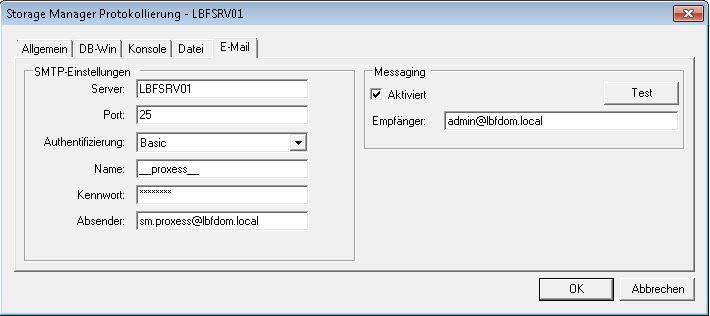
You access this menu item via the "Tools" menu and the Log Settings entry.
As an administrator, you can have log files sent via e-mail. The sending of emails occurs solely via SMTP, not MAPI.
Fig.: Dialog box for SMTP settings for sending log files
SMTP settings for the sending of log files via e-mail:
Server |
Name or IP address of the server on which the SMTP server service is running. |
Port |
The port setting is always 25. |
Authentication |
Please use the default "Basic" setting here. |
Name |
Windows user name with authorization to use the SMTP service. |
Password |
Password of the Windows user account used above. |
Sender |
Appears as sender of the sent e-mail. |
Recipient |
Recipient of the e-mails sent by SMTP (e.g. the PROXESS administrator) |
Messaging |
You can activate the e-mail messaging service here. |
Test |
Here you can test the SMTP settings which have been made. |