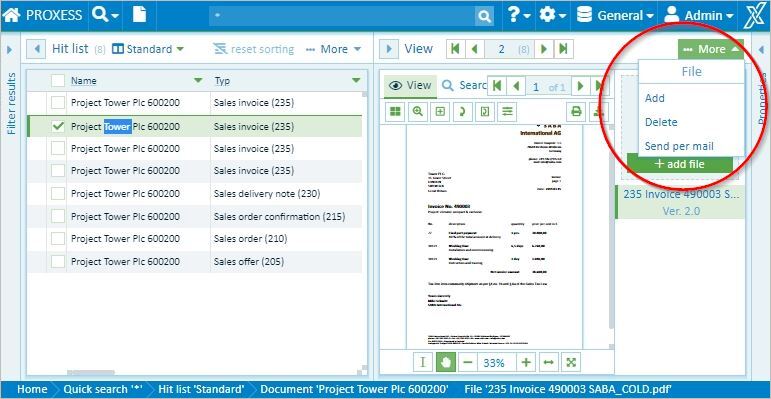
If a file is no longer needed, you can delete it with the PROXESS Web Client.
Fig.: File menu
This calls up a security notice asking whether you really want to delete the file.
|
|
You can only delete files if the system administrator has assigned deletion rights to you. These rights depend on the document type. You may be allowed, for example, to delete files from documents of the “Correspondence” type but not files from the “Outgoing invoices” type. In practical experience, deletion rights are rarely assigned in an archive, if at all.
In compliance with legal provisions, the files are not deleted permanently, they are just deleted from the user display. |
