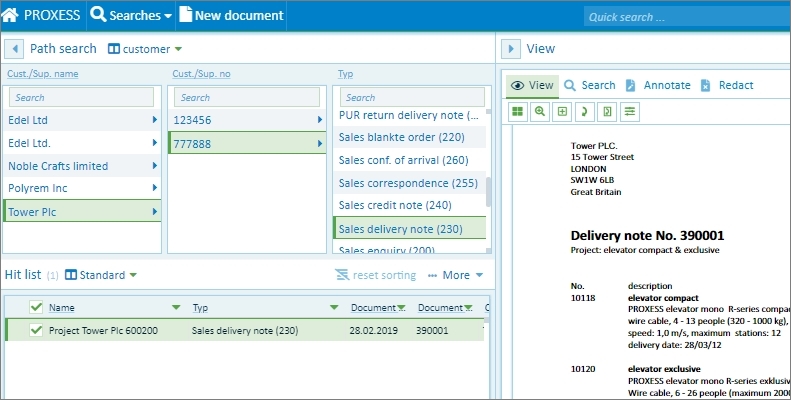
The path search is a good way to search if you do not know an exact search term. The path search takes you through the existing documents. In this process, you can continue to narrow down the hitlist at every level.
You can find the path search directly on the home page or in the Search menu.
A search path determines the keywords and their order with which you can perform your search. There can be multiple search paths. You can select the search paths with the selection list next to the “Path search” entry. All search paths are set up by the system administrator.
Fig.: Possible selection from the set-up search paths
Step by step:
Go to video tutorial