
You can start the keyword search on the home page or via the main Search menu:
Fig.: Search menu
For a keyword search, enter your search term or terms directly in the index fields. This allows you to search for documents quickly and efficiently. The more search terms you enter, the shorter and more precise your hitlist will generally be.
Select the appropriate search mask. You can choose between personal search masks that you configured previously or global search masks that the system administrator provided for you.
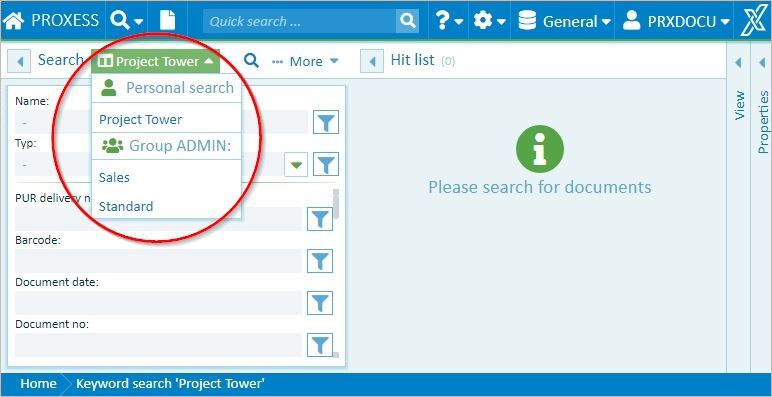
Fig.: Select search
The different search masks vary in their displayed search fields and in the order of these fields. Some fields may also be filled with search terms already.
Sample search mask: Representative John Doe
In the “Representative” field, the search term “John Doe” is already entered. This value can be overwritten or deleted for each search process.
You can perform your search with the  symbol.